Free Chrome extension that pulls the full text straight from the video page. Download the transcript as TXT, run an AI summary, or copy the tags the creator uploaded with. 100+ caption languages, no account.

Open the video, click more under the description, then click Show transcript. YouTube's own panel opens on the right. That gets you reading. It does not get you a clean copy, a .txt file, a language switch or a summary, which is the gap this extension fills.
The catch: no download button, the panel closes every time you open a different video, and mobile hides it entirely.
Setup runs about thirty seconds. After that the panel follows you around YouTube on its own.
| YouTube panel | Paste-the-URL sites | This extension | |
|---|---|---|---|
| Install needed | No | No | Yes, Chrome only |
| Copy without timestamps | Two menu clicks | Yes | One click |
| Download as .txt | No | Usually | Yes |
| Leaves the video page | No | Yes, tab plus a paste | No |
| AI summary | No | Often behind a login | Yes, no login |
| Creator tags | No | Rare | Yes |
| Works on mobile | Limited | Yes | No |
Built for anyone who would rather read a video than sit through it again looking for one sentence.
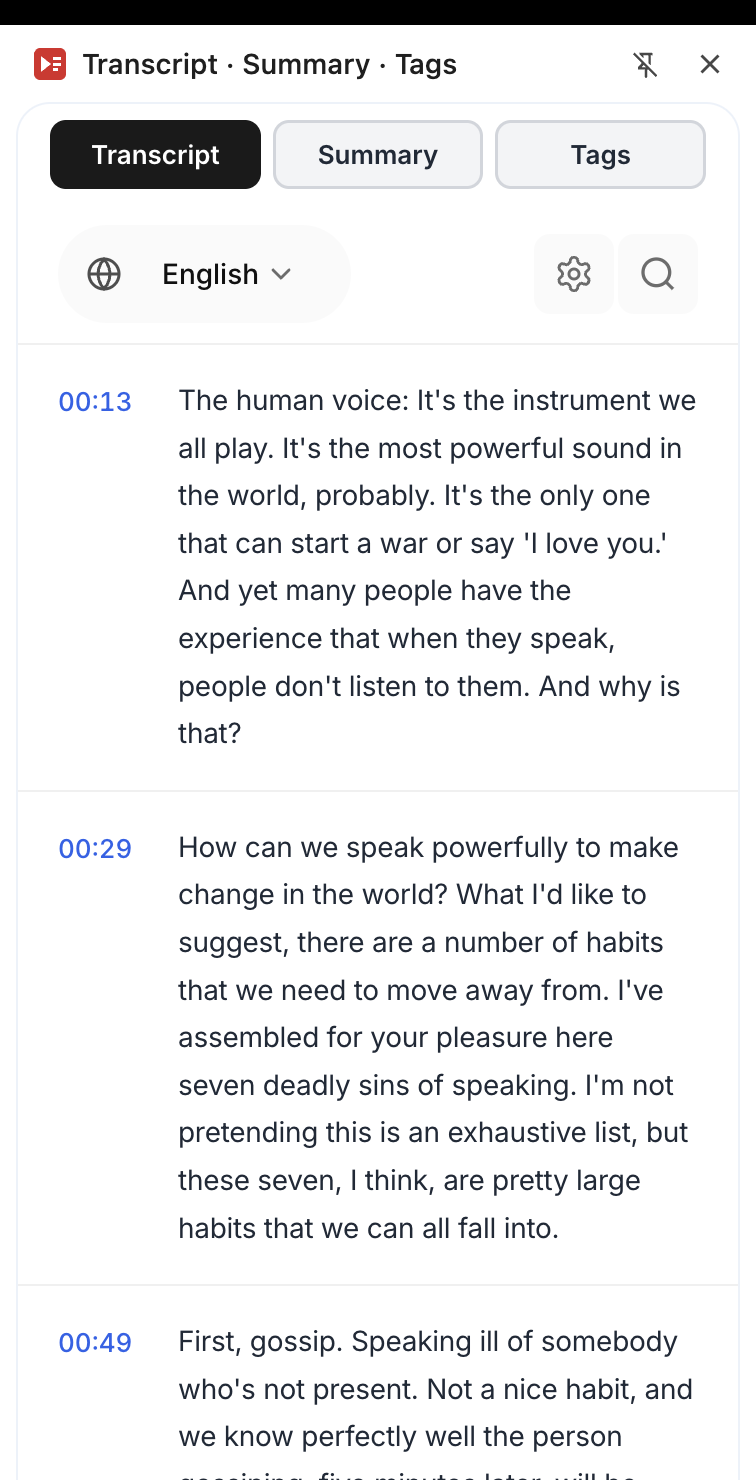
Full text loads next to the player, grouped into blocks of 15 to 25 seconds that end on sentence boundaries instead of mid-word. Click a timestamp, the player jumps there. No scrubbing the timeline.
Gemini 2.5 with a 1M-token context window reads the whole transcript in one pass, so a 5-minute clip and a 4-hour podcast get the same treatment. Text streams in token by token. You read while it writes.
Every upload carries a keyword list the channel set in YouTube Studio, and the public page never shows it. The Tags tab pulls that list and copies it whole. Niche research stops being guesswork.
One button copies everything to the clipboard, the other saves a .txt file. Paste it into Notion, Obsidian or Google Docs, or hand it to ChatGPT as context. Plain text, so nothing breaks on the way in.
English, Spanish, Japanese, Arabic, Hindi, Portuguese. If the video carries several caption tracks, the picker swaps between them in one click.
Type a phrase, land on it. Beats dragging the timeline back and forth trying to remember roughly when they said the thing.
On a blog post or a Reddit thread, the panel scans the page, lists every embedded video it finds, and opens the one you pick.
Click around YouTube and the panel stays open. New video starts, new text loads. Nobody has to press anything.
Every YouTube video transcript here comes from YouTube's own caption tracks, either the ones the creator uploaded or the auto-generated set. So the text matches what is on screen instead of a second machine guessing at the audio.
Tracks in several languages? The picker swaps them. Export the whole thing as .txt, or copy it and move on.
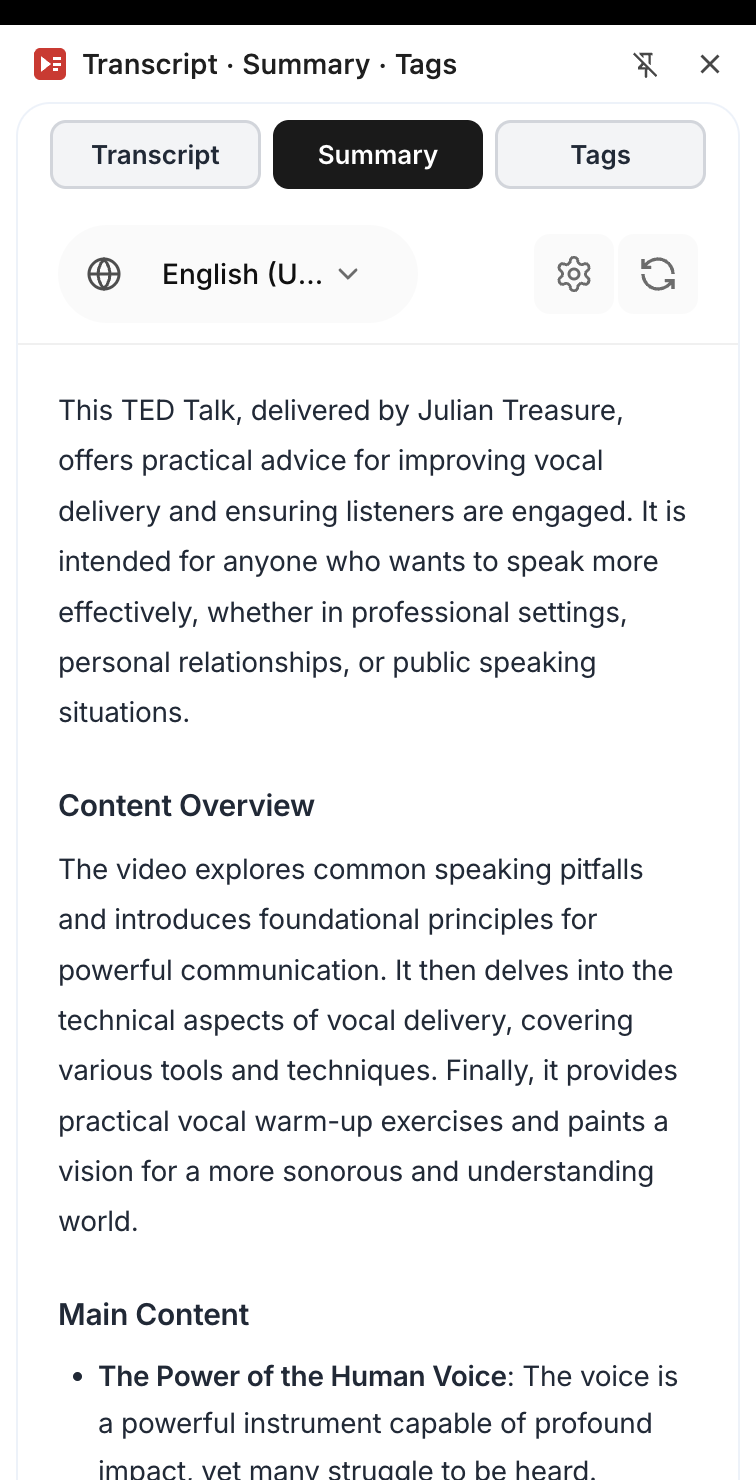
Long interview, dense lecture, two-hour podcast. The summary keeps the points and drops the throat-clearing. Gemini 2.5 Flash takes the whole transcript in one pass, so nothing gets chunked and re-stitched.
It streams as it generates. No fake typing animation, no spinner sitting there for forty seconds pretending to think.
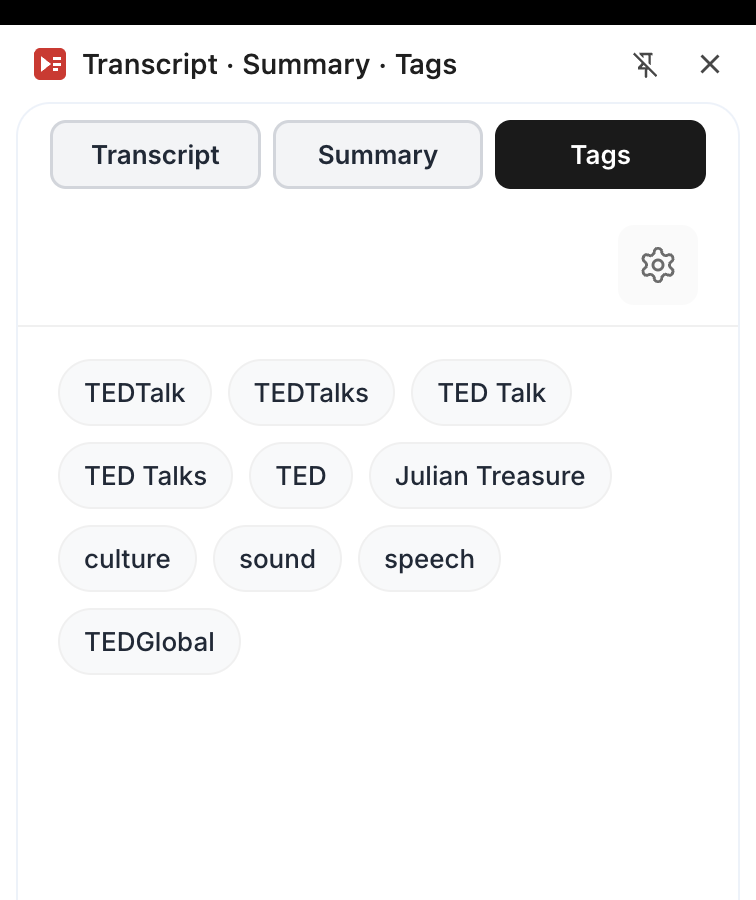
Behind every upload sits a tag list the creator typed into YouTube Studio, invisible on the public page. The Tags tab pulls it, shows it, copies it.
Run it on the five videos ranking above yours for the same query and the pattern shows up fast. Which phrases they repeat, which ones they never touch.
Anyone whose work involves digging facts out of video. Reading beats re-watching, every time.
Skim, grab the passages that matter, paste them into your notes app. Searching a 90-minute lecture for "exam" surfaces every callout the lecturer made in about four seconds.
Exact wording, timestamp attached, so an editor can check the claim against the tape in one click. Copy the passage, drop it in the draft, link the source.
A single upload turns into a newsletter, a thread and three quote tiles. The transcript is the raw material, the AI summary hands you the spine to build them on.
Five interviews, two hours each. Search each transcript for your term, jump to those timestamps, leave the other nine hours unwatched. That is the whole workflow.
Read what the competition is saying without the b-roll and the intro music. Then pull the tags for youtube videos they uploaded with, and you have their keyword targeting in plain text.
Captions in the target language sitting next to the audio. Flip tracks to compare how the same line was phrased. Copy the phrases you keep missing into Anki.
One job, done narrowly. What you watch stays your business.
Two clicks and you are set up. No login form, no paywall, no "verify your email before you can download" step that half these tools bolt on.
Fetching captions sends two things to our server: the ID of the video you have open, and an anonymous install ID that counts against the daily limit. No history, no profile, nothing to sell.
80 transcripts, 150 tag lookups, 20 AI summaries a day. Resets at midnight UTC. Enough for a normal week of research, low enough that scrapers give up and go elsewhere.
Free, no signup, no watch history. Install it once and YouTube becomes something you can read.